How do I import TradeZero trades into a trading journal?
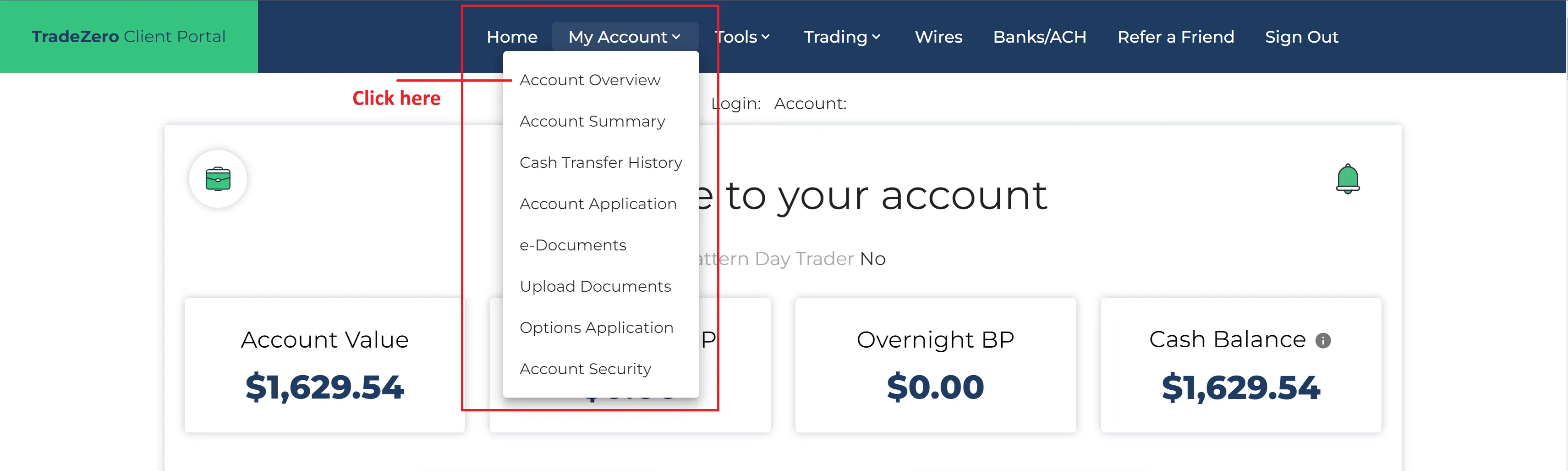
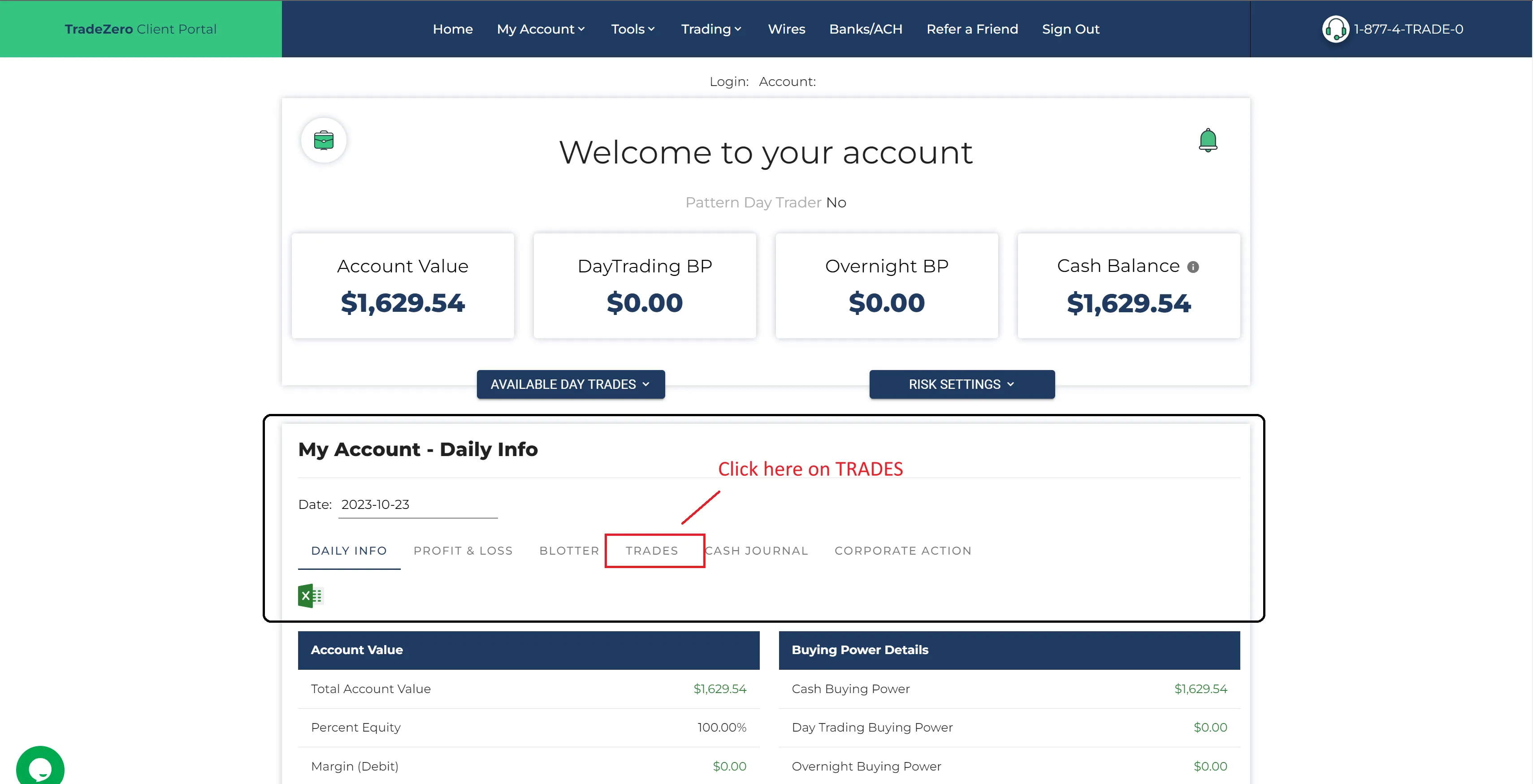
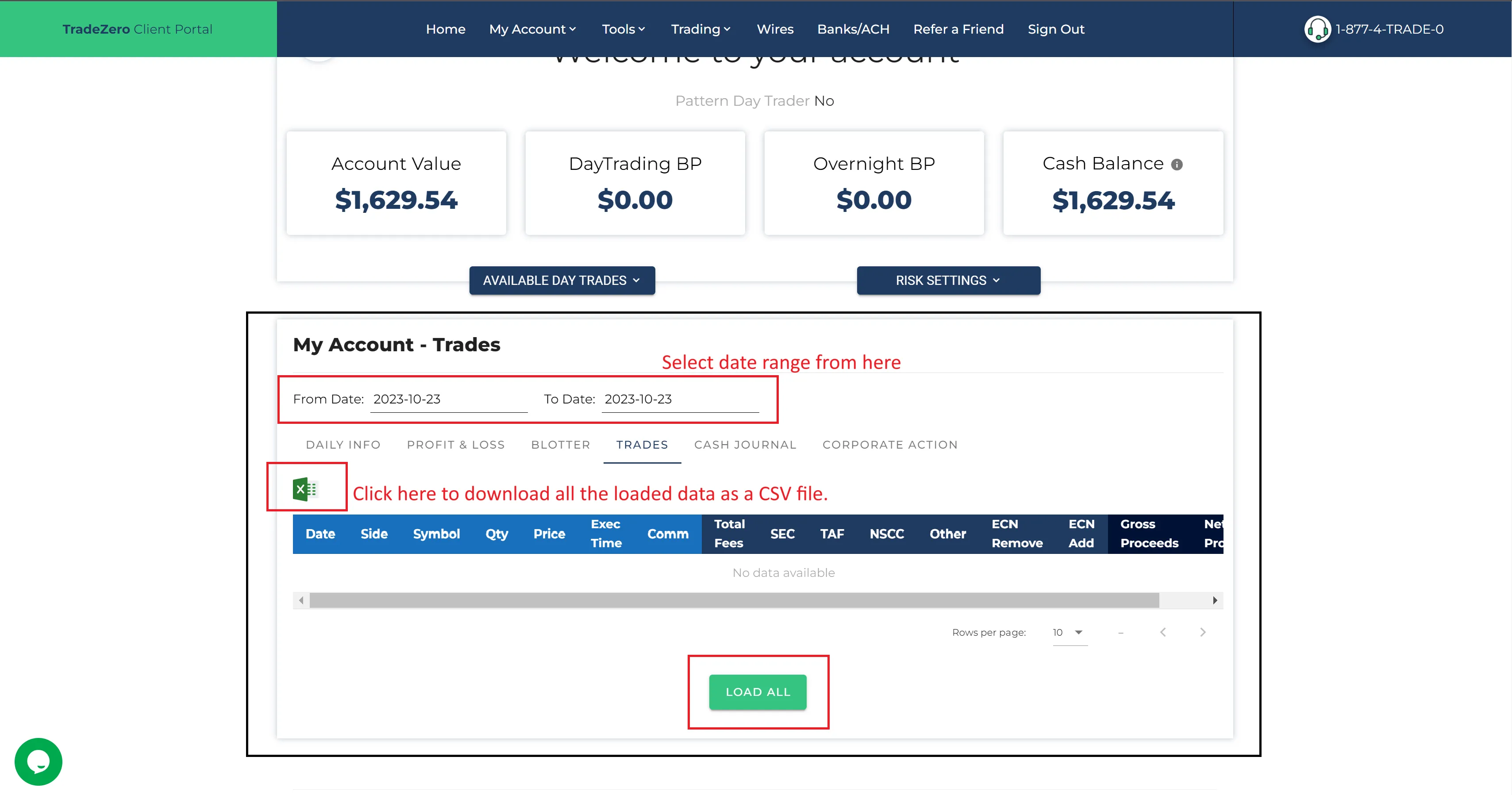
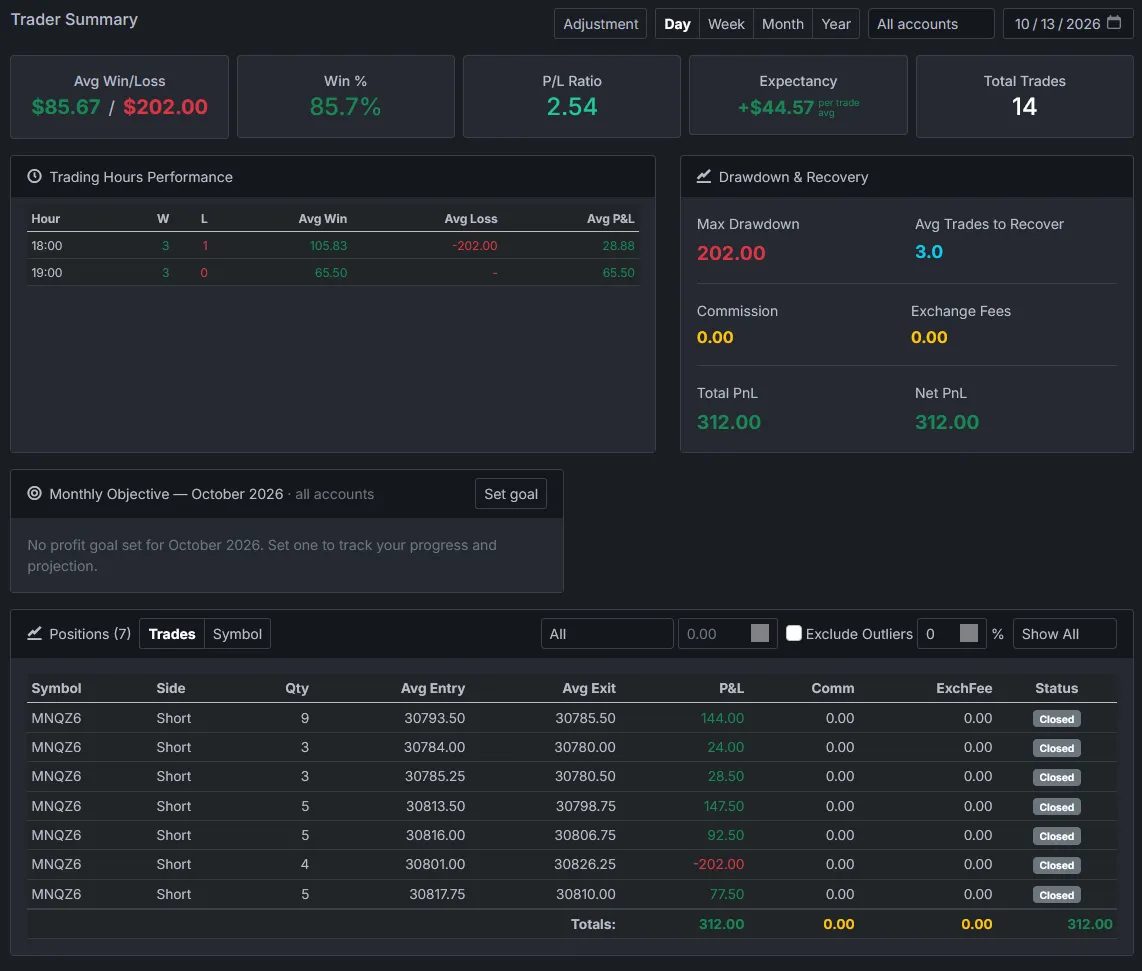
With Premo, export your trades as a CSV from TradeZero's web portal, open Import Trades from CSV, find the TradeZero CSV row, choose the file and press Load. Premo rebuilds your positions from the executions.
Which TradeZero columns does Premo need?
Symbol, Side, Qty, Price, T/D and Exec Time. Without those the file is refused. Account, Comm, SEC, TAF, NSCC, Nasdaq and Note are read when they are there.
Are TradeZero fees included in my P&L?
Commission and the SEC, TAF, NSCC and Nasdaq columns are counted. The ECN Remove and ECN Add columns are not, so net P&L can differ from TradeZero's Net Proceeds on trades with ECN charges.
Does Premo import TradeZero short sales?
Premo reads a Side of B or S and skips any other value without a warning. If your file marks short sales or covers with another value, those rows won't import, so compare a day with shorts against your TradeZero statement.
Can I import several TradeZero accounts?
Yes. A TradeZero file names the account on every row, so each one stays separate. Filter every statistic by one account or see them together. Fill in Premo's Account box only if you want the fills filed under a different name.
Does Premo handle TradeZero options?
Yes, with one limit. A premium of 1.20 counts as $120 a contract, and an option that expires worthless closes at $0 on its expiry date. Exercise and assignment are not treated specially: the shares come in as an ordinary stock trade, and the option closes at $0 when it expires.
Can you journal TradeZero trades without connecting your account?
Yes. You upload a file. Premo never touches your orders or your account.