How do I import Tradovate trades into a trading journal?
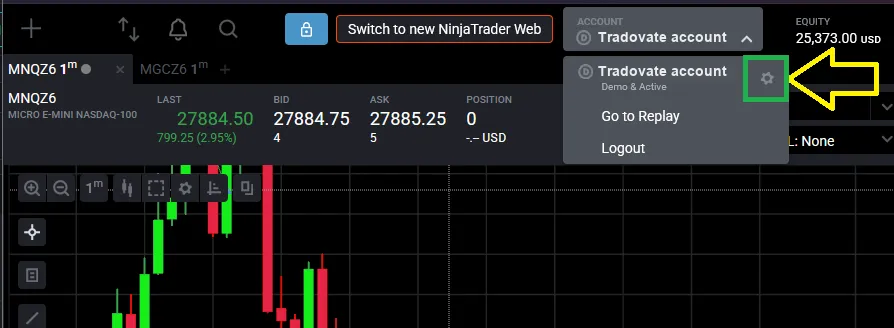
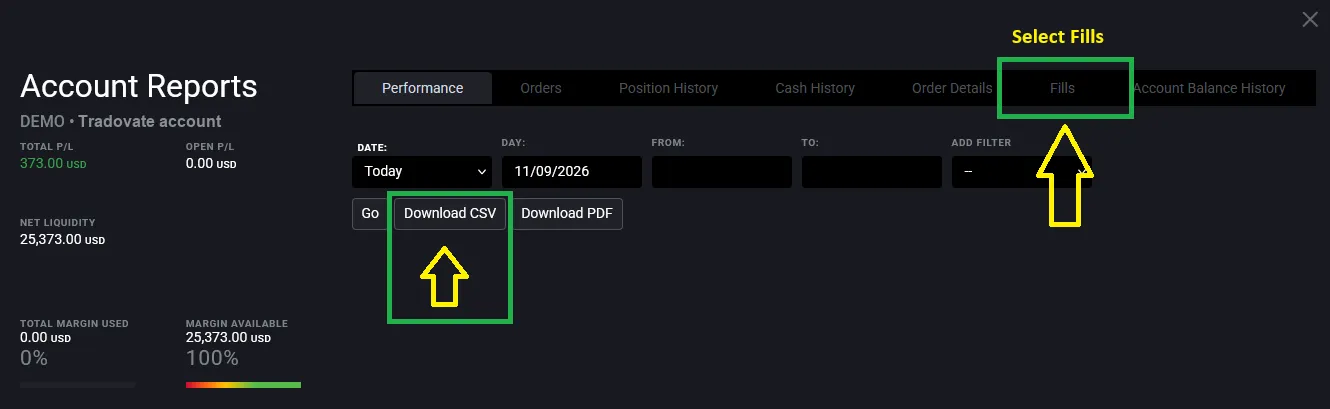
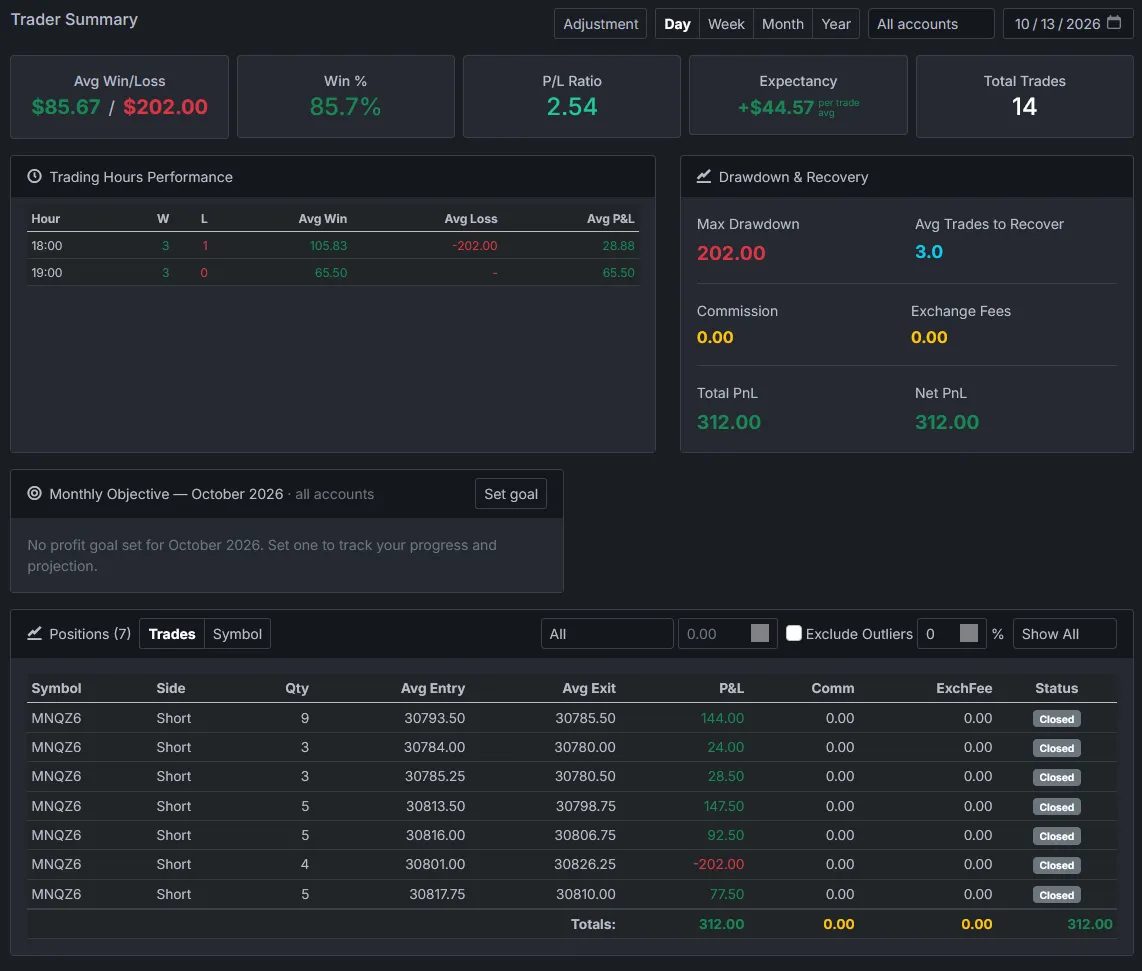
With Premo, open Account Reports in Tradovate, select the Fills tab and press Download CSV. Then open Import Trades from CSV in Premo, find the Tradovate CSV row, choose the file and press Load. Premo rebuilds your fills into positions, with commission, for each account.
Which Tradovate report do I upload?
The Fills tab of Account Reports. A file from another tab, such as Performance, Orders or Cash History, is refused with a message pointing you to the Fills tab.
How do Tradovate trades get into Premo?
With one upload after the session. Premo has no broker sync and never connects to your Tradovate account: you download a CSV and upload it.
Does the Tradovate export include commissions?
Yes. The Fills report has a commission column, and Premo reads it for every fill, so your net P&L includes it. Check your first day against Tradovate’s own Performance report: the totals should match.
Can I journal several Tradovate accounts?
Yes. The Fills report names the account on every row, so evaluation, funded and live accounts stay apart without you typing a name. Every statistic can be filtered by one account or shown across all of them.
I already import through TradingView. Can I switch?
Yes. Both files carry Tradovate’s own order IDs, so a day you already imported through TradingView is replaced when you import the Fills report for it, not counted twice. The fills then sit under the account named in the Tradovate file.
Which futures contracts are supported?
Dated futures contracts such as MNQZ6, MESZ6, NQZ6 and ESZ6, with the usual energy, metal, rate, currency and crypto contracts. Options on futures and spreads aren’t read yet: those rows are listed on import rather than guessed at. A contract Premo has no point value for is also listed, so you can ask us to add it.
What time zone does Premo use for Tradovate fills?
The Fills report carries each fill’s time in UTC, and Premo converts it to New York time, as it stores every import. Your hourly statistics come out right wherever your computer is set.